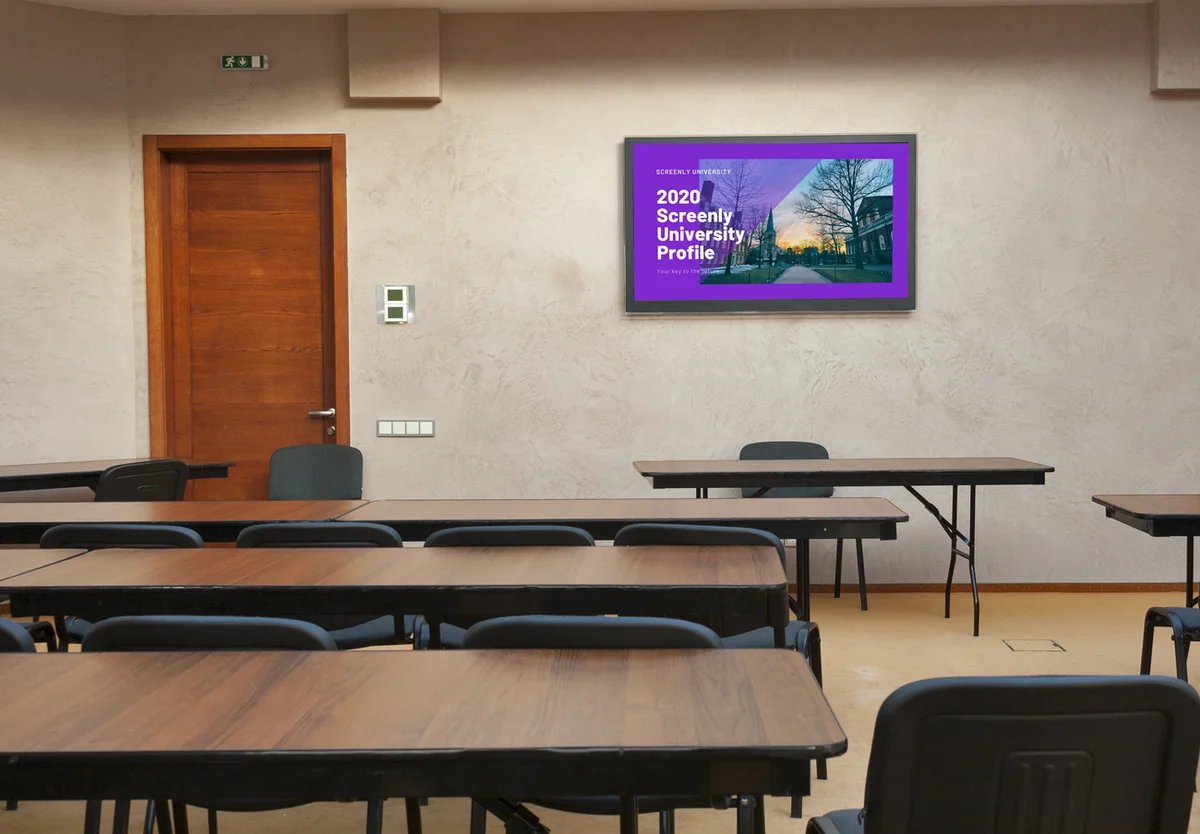
Digital signs for schools do a job that paper never managed. Announcements reach every hallway at once, the cafeteria menu updates itself, the event calendar stays current without anyone printing it, and an urgent notice reaches every screen on campus in moments. Education signage is one of the clearest cases for putting screens to work, and it does not need to be expensive or complicated. More and more schools and educational institutions are discovering the benefits of digital signage in schools for exactly these reasons.
This page covers digital signage in schools from the front office to the athletics wing, including where screens earn their place across a campus, what content keeps them useful, how universities and multi-campus districts manage them centrally, and the honest answer to the outdoor marquee question. It is written for the people who actually run school screens, meaning office staff, communications leads, and campus IT, with digital signage education for all three.
What education signage does for a school
When educational institutions first look into digital signage screens, many schools start with whatever is at hand, meaning a spare PC driving a hallway TV or a USB drive plugged into a screen. Those setups get a screen showing something, but managing DIY digital signage is time-consuming, and every content change means a walk to the screen. The modern starting point is simpler. Screenly Anywhere turns smart TVs and classroom displays the school already owns into managed screens, and a dedicated Screenly Player drives the screens that must not fail. Either way, school administrators and staff manage their digital school signs from a browser, schedule content days in advance, monitor playback status, and keep every screen secure.
Manage school digital signage from a central web interface
To manage school digital signage with Screenly, users log in to a user-friendly web interface from their laptop. This web interface allows school administrators and staff to manage their digital sign content from anywhere. For example, users can change the content of a digital sign located across campus at the athletic facilities using the computer in the IT office. Instead of traveling across campus to manage the content on each screen, users can conveniently manage this content from their office computer. There is no need to connect a keyboard and mouse, plug in a USB drive, or open a VNC session each time you want to change your content.
Schedule content in advance for your school digital signs
The best digital signage for schools allows users to manage their screens efficiently. One key feature for efficient screen management is the ability to schedule content in advance. This feature allows users to spend a set amount of time each week on the content for their digital signs. Users can then focus on other tasks for their school rather than spending time dealing with the school’s digital signs. Screenly allows users to build playlists of image, video, and motion-graphic content for their school signs, and users can then schedule these playlists to run at predetermined dates and times. You can assign playlists to one screen or a fleet of screens with ease.
Use digital signage software for schools to monitor the status of your screens
Digital signage software for schools must enable users to monitor the status of their screens remotely. As with all technology, digital signage can occasionally run into a malfunction or playback issue. IT teams can have a hard time managing screens across a school’s campus. Often, school IT teams rely on notifications from students and teachers to learn if school digital signs are experiencing issues. With Screenly, users can view the display status and playback history of their digital signs remotely from the Screenly web interface. This feature allows school employees to quickly diagnose and fix any issues with the school’s digital signs.
Security features that protect school digital signs
Most digital signage systems for schools treat security as an afterthought. This neglect of IoT security makes school digital signs vulnerable to amateur hackers. Technically-savvy students could successfully hack many of today’s leading digital signage platforms. If hackers successfully access your digital signage software and hardware, they can display inappropriate content on your digital signs or access private information on the school’s servers. Even if these hacks are practical jokes from students, these events can produce a real crisis for your school’s IT department.
We continuously and automatically update Screenly digital signage with security improvements, and Screenly is built on a secure Ubuntu Core operating system. Screenly is also ISO 27001 and SOC 2 Type II certified, which gives campus IT an independent answer to the security question. With Screenly, you can rest knowing that you have protected your school’s digital signs.
Where screens work across a campus
Every school has the same handful of places where information piles up, and those are exactly where educational signage does its best work.
Entrances and the front office. The first screen a visitor sees carries the welcome, check-in instructions, today’s events, and any visitor policy, which is the same message the office would otherwise repeat all day. It is also where reminders reach parents, from immunization forms to payment deadlines and PTA news.
Hallways and common areas. The paper-covered corkboard becomes a screen showing announcements, club news, deadlines, and celebrations, updated from a browser instead of a stapler. Our digital bulletin board page covers how to run that screen well.
Cafeteria and dining halls. Today’s menu, allergen information, and pricing, changed in minutes when the kitchen makes a substitution. The full treatment is on our digital menu boards page.
Libraries, labs, and classrooms. Room schedules, lab safety notices, and study-space availability on small screens outside each room, and our library digital signage post covers the library case in depth.
Athletics and auditoriums. Game schedules, results, event programs, and sponsor recognition where crowds gather.
Staff rooms. Internal notices, duty rosters, professional development reminders, and recognition, kept separate from student-facing screens by permissions.
Anywhere, when it is urgent. Weather closures, safety notices, and schedule changes pushed to every screen at once from the dashboard, or through the Screenly API from the systems the school already runs.
A district rarely starts with all of these, and larger campuses often add a campus directory screen at the main entrance. The pattern that works is one screen in the highest-traffic spot, then expansion as staff see how little effort each screen takes.
Content that keeps a school screen useful
The screens that get read are the screens that change, and most school content can change itself. These are the pieces that keep a campus screen alive without adding to anyone’s workload.
The calendar, live. The Google Calendar and Outlook Calendar apps put today’s events on screen straight from the calendar the office already keeps.
Announcements from where they are written. The Slack Messages app shows the latest message from an announcements channel, and the Simple Message app puts a single urgent notice on screen in large type.
Countdowns to what matters. The Countdown Timer app counts down to exams, term breaks, performances, and deadlines.
Weather and time. The Weather and Clock apps make every screen feel current, and they matter more on a campus where people walk between buildings.
Recognition. Student achievements, staff milestones, and team results, rotating in a playlist so every hallway celebrates something. Digital displays for schools can also showcase student work, highlight achievements, and promote upcoming events, such as a sporting event or a school play.
Curated news. News apps and RSS feeds for older students and staff areas, chosen by the school. The full catalog is in the App Store, and our digital signage apps guide explains how apps keep content current on their own.
With scheduling on top, morning content, lunch content, and after-school content switch themselves, and the office edits a calendar rather than a screen.
Higher education and multi-campus institutions
Digital signage for universities and colleges is the school case at scale, with more buildings, more departments, and more people who need to publish. The requirements shift from showing content to running a fleet.
Departments manage their own screens under their own permissions, while central communications publishes campus-wide notices to every screen at once. Playback monitoring shows the status of every screen in every building from one dashboard, so a dark screen in a far lecture hall is noticed before the students are. SSO and granular access control let campus IT delegate publishing to dozens of staff without handing anyone the keys to everything, and audit logs record who changed what.
Multi-campus districts work the same way, with district-level content, school-level permissions, and one view of every screen. The same platform runs a single primary school and a university system, so growth never means migrating.
The marquee question
Digital marquee signs for schools
The illuminated LED marquee by the road is the sign most schools ask about first, and it is worth being clear about what it is. Outdoor marquee signs are purpose-built outdoor hardware, sold and installed by sign manufacturers with their own controllers, usually involving permits and electrical work. Searches for electronic signs for schools and electronic school signs usually mean these roadside products too, and if you have been pricing a digital marquee sign for schools, this is the category you are in. They are a different product from the screens Screenly runs, and our LCD vs LED page places them in the wider landscape. The digital marquee cost for a school runs well into the thousands before installation, which is why it deserves a deliberate decision rather than a default one.
What Screenly does instead
Screenly powers screens throughout the building and facing out through entrance glass, where a bright screen does part of a marquee’s job for a fraction of the cost. Most schools find the highest-value screens are the ones people see up close, in the entrance and the hallways, where decisions and reminders actually happen. Our outdoor digital signage page covers the window-facing option honestly for placements that need to reach the street.
The two solve different problems. The marquee speaks to cars driving past, and campus screens speak to the people who came in, which is where most school communication happens.
What it costs for a school
Screenly provides one of the most cost-effective digital signage solutions for schools on the market, and a school screen costs what any screen costs. A TV the school may already own, a Screenly Player at $219 or a Screenly Player Max Mk3 at $699 for demanding content, a mount, and a per-screen subscription on the pricing page. Screens the school already has can run Screenly Anywhere with no new hardware, which is often the case in schools full of classroom displays. The full breakdown, including installation and how costs scale across a district, is on our digital signage cost page.
For school IT teams with a tight budget, genuinely free options exist too. Anthias is our free digital signage for schools, running a single screen with no subscription, and our free digital signage page is honest about what free covers and where the managed platform earns its keep.
Digital signage for schools in practice
Interlochen Center for the Arts runs Screenly across its campus, from event calendars to student-facing displays, managed by a small IT team. Our Interlochen case study covers how they set it up and what they learned.
Get started with Screenly digital signage for schools
Screenly aims to provide robust, set-and-forget digital signage for schools. With Screenly, you can manage your school’s digital signs with ease.
If you are ready to give Screenly a shot, sign up for Screenly and get started with a free 14-day trial. We do not require a credit card for free trial accounts. Ready-made layouts for welcome screens, calendars, and announcements are in our library of signage templates, so the first screen can look intentional on day one.
Frequently asked questions
What is education signage?
Education signage means the screens a school, college, or university uses to inform students, staff, and visitors, from hallway announcements and cafeteria menus to event calendars and urgent notices, managed centrally through software instead of printed and pinned.
How do schools use digital signage?
For announcements, event calendars, cafeteria menus, room schedules, athletics results, recognition, and urgent notices, with screens at entrances, in hallways, in dining halls, and in staff areas. Content updates from a browser, and scheduling changes it through the day.
What does digital signage for schools cost?
Roughly $450 to $950 in one-time hardware per screen, or just a mount if the school reuses a TV it already owns, plus a per-screen subscription. Our cost guide has the full breakdown.
Can office staff update the screens without IT?
Yes, and they usually do. Updates happen in a browser, content can be as simple as a calendar or a Google Slides deck, and permissions let each department publish to its own screens.
Does Screenly sell digital marquee signs for schools?
No. Outdoor marquees are made and installed by sign manufacturers. Screenly runs the screens inside the building and facing out through entrance glass, which is where most school communication happens.
Can a district manage screens across many schools from one place?
Yes. One dashboard covers every school, with district-level content, per-school permissions, SSO for IT, and monitoring that shows the status of every screen in every building.
Every hallway, informed
From a single entrance screen to a district of campuses, Screenly keeps school signage current, simple enough for the front office to run, and secure enough for campus IT to approve.