Select the best plan for your business
You can get started right now at no cost with a free trial. Upgrade to enable more storage, enhanced security, and more.
 Starter
$15
 Image, video, stream, app & web page displayAudio playlistsDayparting & flexible schedulingUnlimited playlists & content storageContent caching (offline playback)Up to 1080p Full HDUp to 2 usersIsolated workspacesBuild custom apps with Screenly AppsCloud API access
 Business
$24
Everything in Starter, plus...Unlimited screensUnlimited usersCustom user permissions4K resolution Enterprise
$38
Everything in Business, plus...Priority support SLATailored implementation & trainingLinked workspacesConsolidated billing & invoicingCustom billingSSO integration via SAMLShared playlistsAudit logs
Need over 25 players?
We offer bulk discounts and custom contracts for large deployments.
Reach out to sales for more information.
More than 10,000+ active screens for brands like...



























What others have to say
Screenly powers digital signs across SMEs and Fortune 500 enterprises.

"It's a great tool to use in our manufacturing facilities. We can add safety, quality, or production bulletins as well as videos to reinforce important information."


"It was the best and most cost-effective way to disseminate information throughout our 25 stores across Southern California."


"Screenly stands as a refreshing oasis on the digital signage landscape. They truly demonstrate an authentic grasp of both enterprise needs and the expectations of today's innovative developers."


"The move to Screenly provides security updates even faster. This in turn gives us the peace of mind that our digital signage devices are secured and that we're as protected as we can be from the latest hacks or ransomware."


"After evaluating multiple platforms ranging from high end appliances to other RPi solutions, we settled on Screenly because it gave a great balance of features, simplicity of use by non-technical staff, and low cost of entry."


"Screenly has been incredibly reliable in a mountain environment where the internet (and electricity) can be a bit sketchy. The convenience of being able to update that remote ski-lodge screen when I'm away from the mountain is a huge asset to me and my organization."

Need Some Help?
Screenly FAQs
Do you have a free trial? How long is it?

Yes. The free trial of Screenly lasts 14 days, and you do not need a credit card to sign up. You can get started with a 14-day free trial now at the link here.
What are my payment options?
We accept all major credit and debit cards. Alternatively, organizations can pay by invoice. Customers must make all payments in USD.
Do you have invoicing options available?
Yes, we have invoicing available. Just select invoicing as your payment method when you select your subscription inside your online Screenly account. You can sign up for an online Screenly account here. We offer a free 14-day trial, and we do not require a credit card for you to start your trial.
Do you have customizable billing options for enterprise accounts?
Yes. Enterprise customers can pay by credit card, debit card, bank transfer, or check. Enterprise customers can pay monthly or annually and access volume discounts for large screen deployments. We can further customize billing options to meet each Enterprise account's unique needs.
What happens if I want to cancel my plan?
You can cancel your plan at any time on the billing page inside your online Screenly account. Once you cancel, you will be able to use your account as normal until your plan expires. We will not bill you again after your cancellation.
What happens if I want to upgrade my plan?
If you want to upgrade your plan to include more screens, you can upgrade in just a few clicks on the billing page within your online Screenly account. We will prorate your current month's payment, and we will credit the prorated amount towards your new plan.
Is there a limit to the amount of content storage, playlists, or tags with each plan?
There is no limit to the amount of content storage, playlists, or labels with each plan, so long as the user follows our Fair Use policy found on this page. Content storage refers to the amount of gigabytes needed to store your digital signage content. A playlist is an organized sequence of digital signage content. A tag is a name that users assign to multiple screens.
What does Screenly consider to be a billable screen?
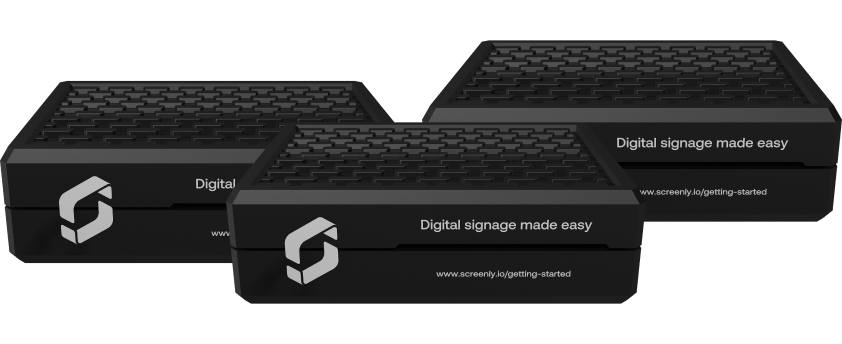
A billable screen is any external TV or display monitor that is powered by a Screenly digital signage player, Screenly Anywhere instance, or an app instance (like the Screenly Android App or Screenly Samsung Tizen App). A digital signage player is a small, physical device that renders content to your screen. You will need one digital signage player for each screen. This digital signage player can be a Screenly Player or a more powerful Screenly Player Max Mk 2. You can learn more about our digital signage player options here.
What if I have fewer screens than a plan's minimum?
You are still billed for the plan's minimum. The Business plan starts at 5 screens and the Enterprise plan starts at 25 screens, and because Screenly is billed per screen, you pay for at least that many even if you run fewer. For example, a Business plan with 2 active screens is still billed for 5 screens. If you need fewer, the Starter plan has no minimum and supports up to 5 screens.
What happens if I need more screens?
You can easily add more screens to your plan in just a few clicks. You can upgrade within the Billing section of your online Screenly account.
What is the difference between a digital signage player and Screenly Anywhere? Where can I make a purchase?
A digital signage player is a small, physical device that renders content to your screen. In the same way a DVD player renders a movie to your TV, the digital signage player renders content to your digital sign. Through the Screenly dashboard, you can remotely manage the content that your digital signage players render to your screens. You will need one digital signage player for each screen. Screenly supports the Screenly Player and the more powerful Screenly Player Max Mk 2 as digital singage player options. You can also use Screenly Anywhere or Screenly's associated apps to deploy screens without digital signage players. Learn more about digital signage player options and make your purchase at the link here. Alternatively, you can learn more about Screenly Anywhere and Screenly's associated apps at the link here.
Display your best content with Screenly digital signs.
Get started today quickly and easily with Screenly's secure, enterprise-grade digital signage.